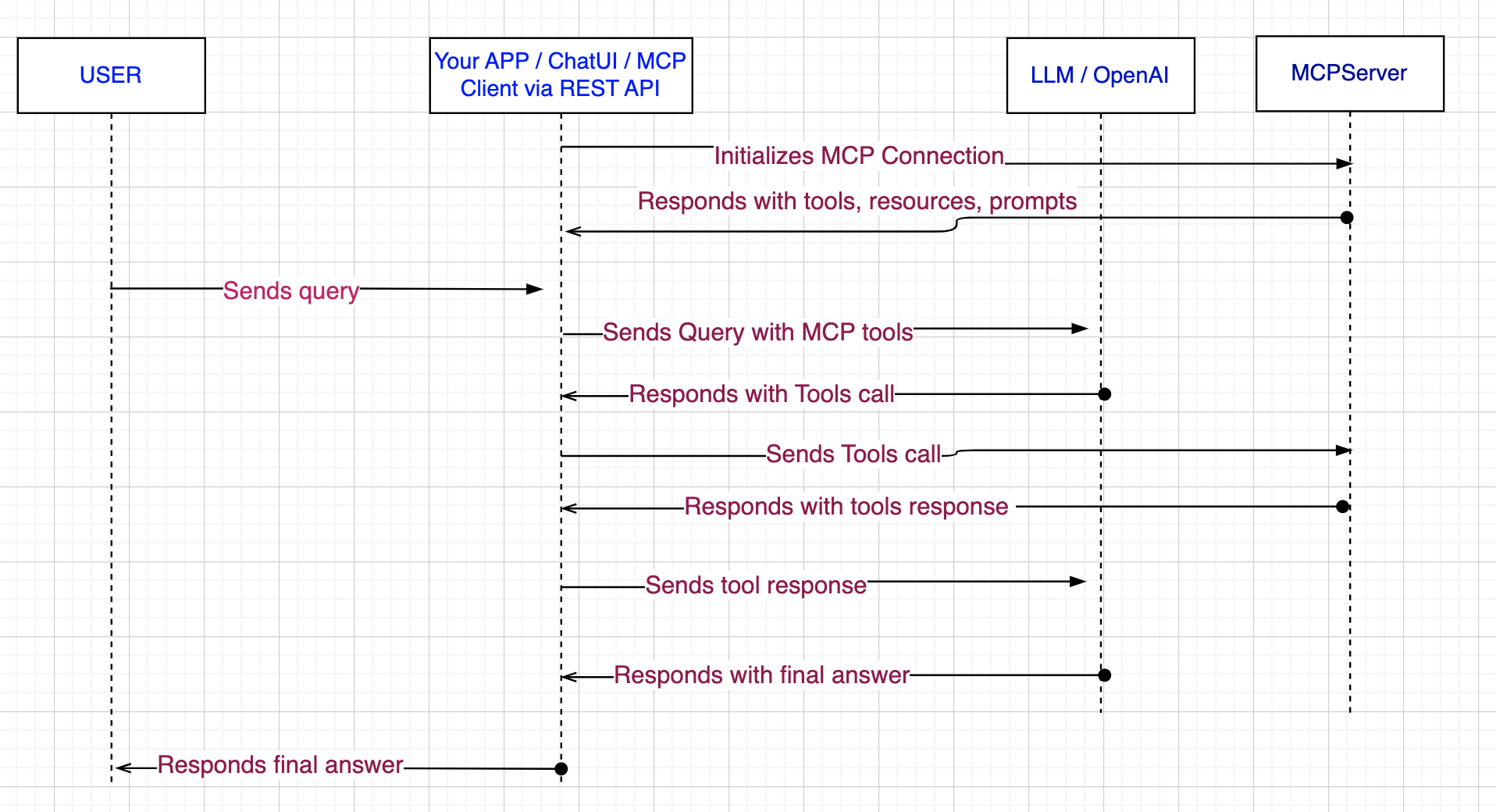
MCP (Model Context Protocol) is a standardized communication protocol that connects AI assistants like Claude to external data sources and tools through a server-client architecture. MCP servers provide resources, tools, and data access, while AI assistants act as clients that request information or execute functions through these servers. This protocol is essential for GenAI because large language models have knowledge cutoffs and can’t directly access real-time data or interact with external systems on their own. MCP solves critical problems including context window limitations, the need for real-time data access, security controls, and the lack of standardization in AI integrations.
By creating a “plug-and-play” ecosystem, MCP enables AI assistants to securely connect to any properly configured system, dramatically expanding their capabilities beyond static training data.
This sequence diagram illustrates the complete MCP workflow, showing how user requests flow through the system to gather external data and generate contextually enriched responses. The key advantage is that the LLM receives both the original user request and real-time data from external systems, enabling it to provide more accurate and current information than it could with just its training data alone.
My sample is inspired by this MS demo - https://www.youtube.com/watch?v=8d2v6OMhkmQ.
This repo - https://github.com/rameshagowda/sales-data-analysis-with-MCP-and-LLM serves as a practical example of how to design and implement MCP CLient and MCP Server and Integrate with LLM for natural language conversation.
This repo provides necessary instructions and commands to setup each components like Postgres database, MCPServer, MCPClient via FastAPI and Streamlit Chatbot.
It mostly used Claude desktop and ChatGPT to some extent while implementing my sample MCP application. I found that Claude desktop was more useful to my implementation. MCP server is implemented using FASTMCP which is using postgresQL helper methods to pull its sales data.
1.Once MCPServer was ready, I was able to test its tools, resources and prompts using free version of Claude desktop. I was impressed with the results as it was also pulling dashboards and reports.
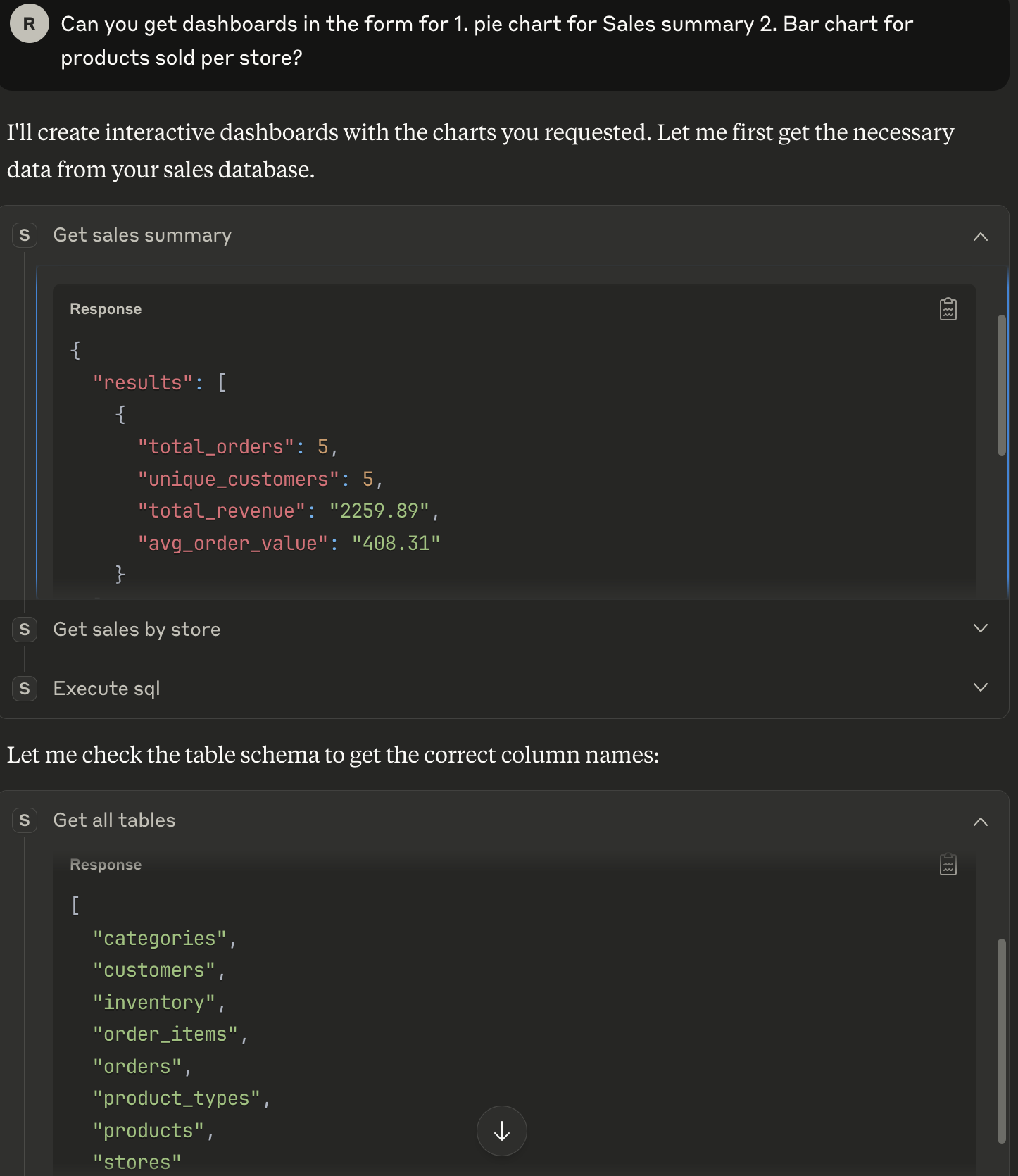
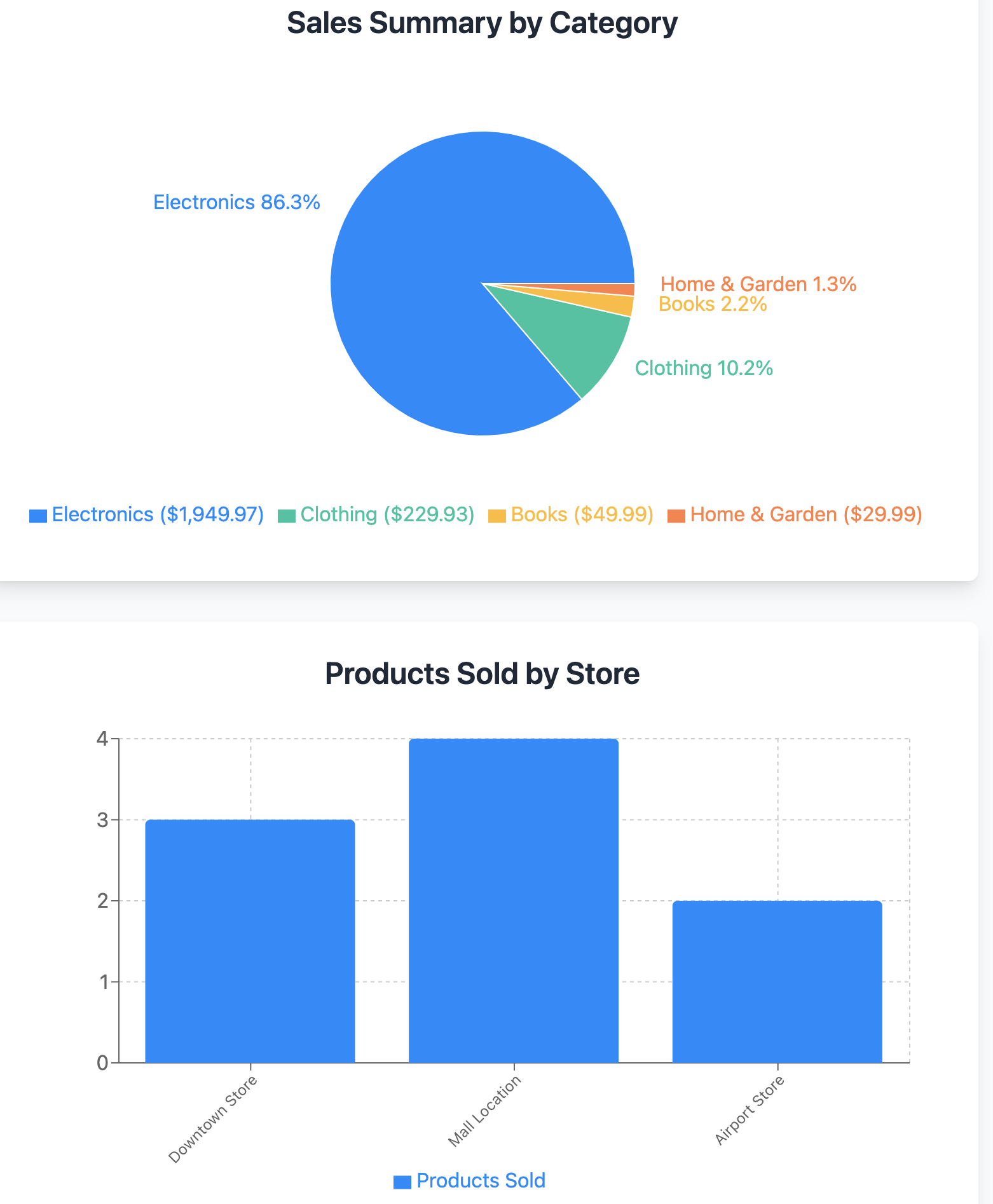
2.Again, I took Claude desktop and ChatGPT help to build my own MCP client in the form of RestAPI and Streamlit Chatbot. I had trouble getting the dashboards, but was able to get natural responses and reports. OpenAI was integrated to get natural language support.
Follow ReadMe file in the repo https://github.com/rameshagowda/sales-data-analysis-with-MCP-and-LLM.